The best hackathon ideas for students are small enough to build in two hours and clear enough to explain in two minutes. Below are 30 of them, ten for each Code Battle division, each with what to build and a tool that suits it, plus a simple way to pick an idea in ten minutes once the theme is revealed.
After five seasons of Code Battle, one pattern holds. The winning projects are rarely the most ambitious. They do one thing well and work when the judge clicks the button. New to all this? Start with what a hackathon is.
What makes a good hackathon idea for students?
A good idea fits the theme, solves a real problem and can be shown working in a short demo. That last part matters most. Run every idea past four checks:
- Theme fit: can you explain the link to the theme in one sentence?
- One core feature: is there a single thing that has to work for the demo to make sense?
- Two-hour test: could you build a rough version in about 75 minutes, leaving time to polish?
- A real user: can you name who it’s for?
At Code Battle the theme isn’t known until the morning, so treat these as practice material. Several are shaped around themes we’ve used before.
Hackathon ideas for Grades 1–4 (Cadet division)
Cadet teams build with block-based tools such as Scratch, Code.org or Thunkable. Keep it to one screen or one game loop. Past Cadet themes include “The Great Gadget Adventure” and “Adventure on Mystery Island”.
- Gadget inventor’s workshop: drag parts onto a bench and the finished gadget comes to life with a sound and animation. Tool: Scratch.
- Mystery Island treasure hunt: move an explorer with the arrow keys; each spot on the island reveals a clue. Tool: Scratch.
- Recycling sorter: rubbish falls from the top and the player moves it into the right bin to score points. Tool: Scratch.
- Animal home quiz: tap an animal, then pick where it lives; a friendly sprite says if you’re right. Tool: Code.org Sprite Lab.
- Talking robot helper: a robot sprite that answers three questions about your school using recorded voices. Tool: Scratch.
- Tap turner: a short story game where the player turns off dripping taps before the tank runs dry. Tool: Scratch.
- Healthy lunchbox builder: drag foods into a lunchbox and a character reacts to how balanced it is. Tool: Scratch.
- Morning routine checklist: a simple app with buttons to tick off brushing teeth, packing the bag and so on. Tool: Thunkable.
- Make-your-own band: each key plays a different instrument and sprites dance in time. Tool: Scratch.
- Lost pet maze: guide a child through a maze to find their pet before the timer ends. Tool: Scratch or Code.org.
At this age, a child who can say “press space and the robot talks” with confidence often lands better than a complicated game nobody can explain. There are more Scratch competition ideas in our Cadet post.
Hackathon ideas for Grades 5–8 (Captain division)
Captain teams can use block-based or text-based tools, from Scratch and Thunkable to JavaScript or Python. Past Captain themes include “The Interactive Web Museum” and “The Ultimate Sports Challenge”.
- Pocket web museum: a three-room website where each exhibit is a clickable card with a fact and a one-question quiz. Tool: HTML, CSS and JavaScript.
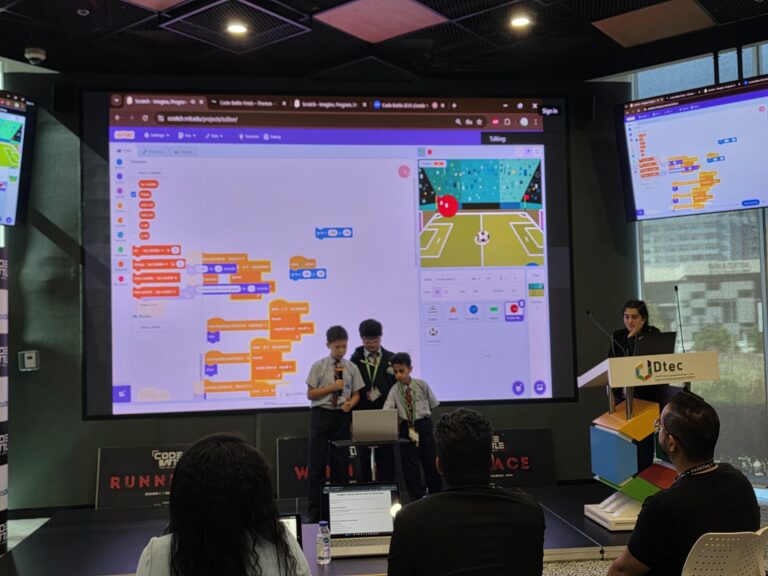
- Penalty shootout: aim with the mouse, stop a moving power bar, and see if the keeper saves it. Tool: Scratch.
- Fair team picker: enter names and skill levels, and the app splits a class into balanced teams for PE. Tool: Python or Thunkable.
- Interval training timer: set work and rest times, and the phone beeps and changes colour. Tool: Thunkable or MIT App Inventor.
- Know your emirate quiz: a picture quiz about landmarks near your school, with a score at the end. Tool: Scratch or JavaScript.
- Homework planner: add tasks with a due date and see what’s due tomorrow in red. Tool: Thunkable.
- Secret code breaker: a puzzle game where players decode messages written in a simple shift cipher. Tool: Python.
- School trip footprint calculator: answer questions about transport, get a score and one tip. Tool: JavaScript or Python.
- Class weather logger: type in daily temperatures and the program draws a bar chart of the week. Tool: Python.
- Reading buddy: the program reads a word aloud and the player types it back to practise spelling. Tool: Scratch with the Text to Speech extension.
Pick the tool your team is fastest in, not the one that sounds most impressive.
Hackathon ideas for Grades 9–12 (Colonel division)
Colonel teams can use any language or platform. Recent themes include “AI for Social Good” and “Cybersecurity Challenge”.
- Password coach: checks a password and explains in plain words why it’s weak and how to fix it. Tool: Python or JavaScript.
- Phishing spotter: players flag suspicious sample messages, then see the clues they missed. Tool: JavaScript.
- Canteen leftovers board: a web page where the canteen lists unsold food and students or staff reserve it. Tool: any web stack you know.
- Recycling camera: point a webcam at an item and a trained model suggests which bin it goes in. Tool: Google’s Teachable Machine plus JavaScript.
- Revision helper with guardrails: a chatbot that quizzes you on a topic but refuses to write your homework. Tool: Python with an AI API.
- Accessible school map: shows step-free routes between rooms for wheelchair users. Tool: HTML, CSS and JavaScript.
- Encrypted notes: a notes app that shows, step by step, how a message is scrambled and unscrambled. Tool: Python.
- Volunteer matcher: matches local volunteering tasks to a student’s free time. Tool: any web or mobile framework.
- Heat alert for outdoor PE: pulls a weather forecast and tells the PE department when to move lessons indoors. Tool: Python or JavaScript with a weather API.
- Sign alphabet trainer: uses hand tracking to check whether the user is making the right letter shape. Tool: a hand-tracking library such as MediaPipe.
If your idea uses AI, be ready to explain what the AI does and what you built around it. See our post on using ChatGPT and AI in a hackathon.
How do you pick a hackathon idea in 10 minutes?
Spend ten minutes choosing, then commit. The Code Battle build window runs from 10:30 to 12:30, and teams still debating at 11:00 rarely finish. Try this:
| Minutes | What to do |
|---|---|
| 0–2 | Everyone reads the theme and writes down two ideas silently. No talking yet. |
| 2–5 | Share ideas. Cross out any that don’t clearly fit the theme. |
| 5–7 | For each survivor, finish the sentence “Our project helps ___ to ___.” Keep the clearest one. |
| 7–9 | Name the one feature that must work in the demo. Everything else is a bonus. |
| 9–10 | Agree roles: builder, designer, presenter. Start building. |
The silent start stops the loudest person’s first idea winning by default.
Should you practise a project idea before the event?
Yes, but practise skills, not a finished project. Code Battle projects must be built entirely on-site, and recycled code has to be disclosed. The theme is a surprise anyway.
What carries over is speed. Pick three ideas from your list, set a two-hour timer and build each in a separate session. You’ll learn how long a start screen really takes and when to stop adding features. Our guide on how to prepare for a hackathon has a full plan.
Creativity is one of the five areas judges score, and it grows with practice. A teacher who brought a team to our Sharjah chapter put it this way:
Code Battle brought out the creativity in our students. It gave them the freedom to explore ideas, think differently, and use technology to create solutions of their own.
— Dhanya Ravindran, Teacher, Crown Private School
Ready to try one of these at Code Battle?
Code Battle is free for schools and students, with teams of two or three in each division. Schools usually register teams through the school registration form. Dates for the next season are posted on upcoming events.
Frequently asked questions
What are good hackathon ideas for beginners?
Simple games and quizzes with one clear feature work best, such as a recycling sorter or an animal quiz in Scratch. Choose something you can show working in a short demo.
Which tool should students use for a hackathon project?
Use the tool your team knows best. At Code Battle, Grades 1 to 4 use block-based tools, Grades 5 to 8 can use block or text code, and Grades 9 to 12 can use any language.
Can we build our hackathon project before the event?
Not at Code Battle. Projects must be built on-site and any recycled code must be disclosed, so practise skills and timing rather than preparing a finished project.
How long should a team spend choosing an idea?
About ten minutes. In a two-hour build window, teams that take longer often run out of time to finish.