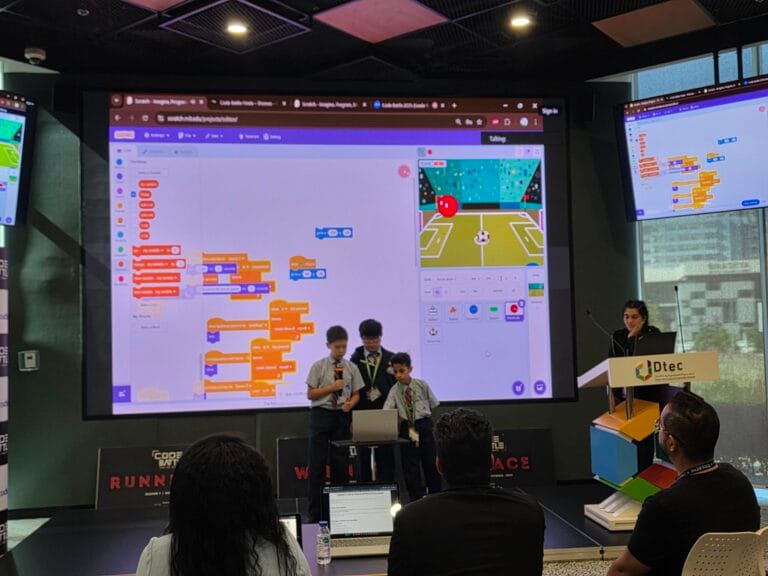
A good hackathon pitch tells the judges what problem you chose, shows your project working and explains how you built it, all in about two minutes. Start with the problem, not your team name, and give the biggest share of your time to a live demo.
At Code Battle, every team gets 2–3 minutes to pitch, with a live demo encouraged, followed by questions from the judges. We’ve sat through a lot of pitches over five seasons. The best ones aren’t the most polished. They’re the clearest. Below is a two-minute template with timings, a worked example, and tips for the demo and the questions that follow.
What is a pitch deck for a hackathon?
A pitch deck is a short set of slides that supports your talk. At a student hackathon, your project is the main visual, so slides play a small part.
If your event allows slides and you have time, keep to three or four:
- Title and problem: your project name and one sentence on the problem.
- Demo: switch to the real project here.
- How we built it: tools, one challenge you solved, and any AI or reused code.
- What’s next: one or two features you’d add with more time.
In a two-hour build window, don’t spend more than ten or fifteen minutes on slides. A working demo says more than any slide can, and judges score the project, not the deck.
How should I start a hackathon pitch?
Start with the problem, or the person you built it for. Your first sentence decides whether the judges lean in. “Hi, we’re the Code Crew and we made a game” tells them nothing. A sentence about who has the problem, and why it matters, tells them what to look for in your demo.
Here are some example openers written for themes we’ve used at Code Battle. They’re illustrations to show the style, not real teams’ pitches.
- Cadet, “Adventure on Mystery Island”: “You’ve landed on an island and the map keeps changing. Our game helps you find your way home before the tide comes in.”
- Captain, “The Ultimate Sports Challenge”: “Keeping score in a break-time match is harder than it sounds. Our app does it for you, and it settles arguments too.”
- Colonel, “Cybersecurity Challenge”: “A lot of people use the same password everywhere. We built a game that shows why that’s risky in under a minute.”
A 2-minute hackathon pitch template
Aim for two minutes even when you’re allowed three. It leaves room for a slow demo or a nervous start. This is the structure we’d suggest:
| Time | Section | What to say | Who |
|---|---|---|---|
| 0:00–0:15 | Hook | One sentence on the problem or the person you built for | Presenter |
| 0:15–0:30 | The idea | What your project is, in one sentence, and how it fits the theme | Presenter |
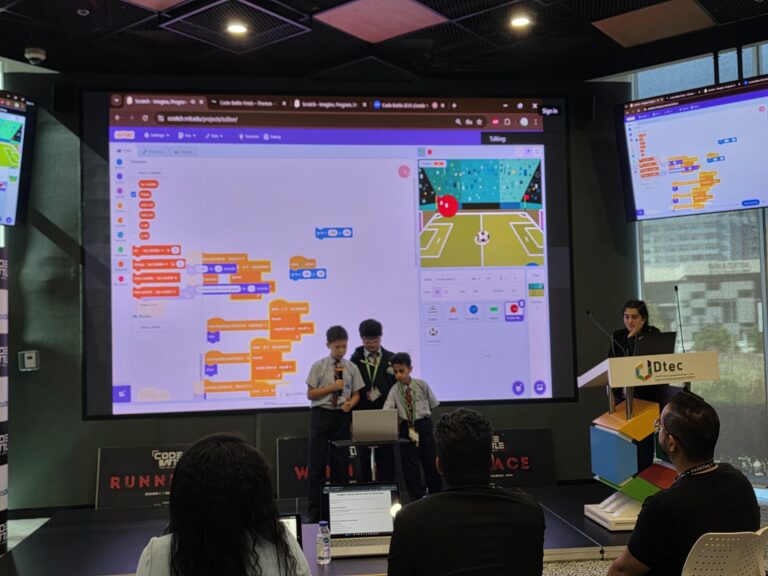
| 0:30–1:20 | Live demo | Show the main feature working from start to finish | Builder drives, presenter explains |
| 1:20–1:40 | How we built it | Your tool or language, one problem you solved, any AI or reused code | Builder |
| 1:40–1:55 | What’s next | One or two things you’d add with more time | Designer |
| 1:55–2:00 | Close | Project name and thank you | Presenter |
Make sure everyone speaks at least once. Teamwork is one of the five things Code Battle judges score, alongside code, user interface, creativity and presentation, and a pitch where one person does all the talking makes it harder to show. Our guide to hackathon judging criteria explains each one.
Fill in the blanks to turn the template into your script:
- Hook: “[Person] has a problem: [problem].”
- Idea: “We built [name], a [game / app / website] that [what it does]. It fits the theme because [reason].”
- Demo: “Let me show you. First you [step]. Then [step]. And here’s the part we’re proudest of: [feature].”
- How we built it: “We built it in [tool]. The hardest part was [problem], and we solved it by [how]. We used [AI tool or reused code] for [task].”
- What’s next: “With more time, we’d add [feature] and [feature].”
- Close: “That’s [name]. Thank you.”
If your team used AI or recycled code, the “How we built it” line is where you disclose it. Our post on using ChatGPT and AI in a hackathon has more on how to say it.
Example: a filled-in pitch for the Captain division
Here’s the template filled in for an imaginary Captain team working on “The Interactive Web Museum”. Again, this is our example, not a real entry.
“Most museums ask you to stay quiet and look. Ours asks you to play. We built Pixel Past, a website museum of old video games, for the Interactive Web Museum theme. Let me show you. You walk into the first room and click on a game cabinet. It tells you when the game came out, then gives you a one-question quiz. Get it right, and the door to the next room opens. We built it in HTML, CSS and JavaScript. The hardest part was saving your progress between rooms, and we fixed it by saving the score in the browser so every page can read it. We used an AI assistant to explain one error message, and we wrote the quiz logic ourselves. With more time, we’d add sound and a leaderboard. That’s Pixel Past. Thank you.”
Read aloud at a steady pace, with the demo running, that fits into about two minutes.
How do you run a live demo without it falling apart?
Demos usually fail for boring reasons, like a game that starts on the wrong level. Most of that can be fixed before you walk up.
- Demo the path you’ve tested. Show the route through your project that you know works. This isn’t the time to try something new.
- Reset before you present. Start from the first screen, with scores at zero.
- Clean the screen. Close other tabs, turn off notifications and zoom in so the judges can read it.
- One person drives, one person talks. Typing and explaining at the same time is hard for anyone.
- Have a fallback. If something crashes, say what should happen, restart once, and keep going. Don’t debug in front of the judges.
Judges are generally forgiving of a demo that wobbles if the team stays calm and can explain what it should do. Panicking costs more than the bug.
How do you handle questions from the judges?
At Code Battle, the judges ask questions after every pitch. They’re industry professionals and academics, and they aren’t trying to catch you out. They want to know what you understand. Common questions include:
- Who is this for?
- What would you add next?
- Which part was hardest to build?
- How did you split the work?
- Did you use AI, and how?
A few habits help. Pause for a second before answering. Keep answers short. Let the person who built that part answer the question. And if you didn’t get to something, say so: “We didn’t have time for that, but here’s how we’d do it” is a good answer. Making something up isn’t.
A teacher who brought a team to our 2022 Sharjah chapter noticed it:
Code Battle is a wonderful platform for students to demonstrate their talent and passion for technology. It was impressive to see the ideas they developed and the confidence with which they approached the challenges.
— Suma Nellisery, Teacher, Leaders Private School
How should you practise your pitch?
- Write your pitch as bullet points, not a full script. Reading word for word sounds flat.
- Time it with a phone. Most first drafts run long.
- Practise with the real demo, not a description of it.
- Ask a teacher or friend to play a judge and fire three questions at you.
- On the day, rehearse twice in the last fifteen minutes of the build window.
The pitch is where all your building pays off, which is why it features in our lessons on how to win a hackathon. If you’re new to all this, start with what a hackathon is, then register your school’s team.
Frequently asked questions
How long is a hackathon pitch?
It varies by event, but school hackathon pitches are usually short. At Code Battle, teams get 2–3 minutes, followed by questions from the judges.
Do you need slides for a hackathon pitch?
Not always. At a student hackathon, a live demo usually matters more, so keep any slides to three or four.
What should you say first in a hackathon pitch?
Open with the problem or the person you built your project for. Save your team name for the end.
What if my demo breaks during the pitch?
Stay calm, explain what should happen and restart once if you can. Don’t try to debug in front of the judges.
Who should present the pitch?
Everyone should speak at least once. A common split is the presenter on the hook and close, and the builder on the demo and how it was built.